
Compatibility at a glance
Which operating systems are affected?
As of October 14, 2026, WhatsApp lists Android 6.0+ and iOS 15.1+. The iPhone requirement changes on November 30, 2026. Check the official OS guidance for later announcements.
| Installed OS | Compatibility | What to do |
|---|---|---|
| Android below 6.0 | Below minimum | Update the OS or move to a supported phone. |
| Android 6.0 or later | Meets OS minimum | Keep the app and device security patches current. |
| iOS below 15.1 | Below minimum | Install the latest iOS your phone supports. |
| iOS 15.1–15.4.x | Supported only before Nov 30, 2026 | Update to iOS 15.5+ before the change. |
| iOS 15.5 or later | Meets both published minimums | Continue installing available updates. |
| KaiOS | Service discontinued | Move to a supported Android phone or iPhone. KaiOS notice. |
From , iOS 15.5 becomes the minimum. The checker applies this announced change using your device’s current date when you submit.
Find your phone’s OS version
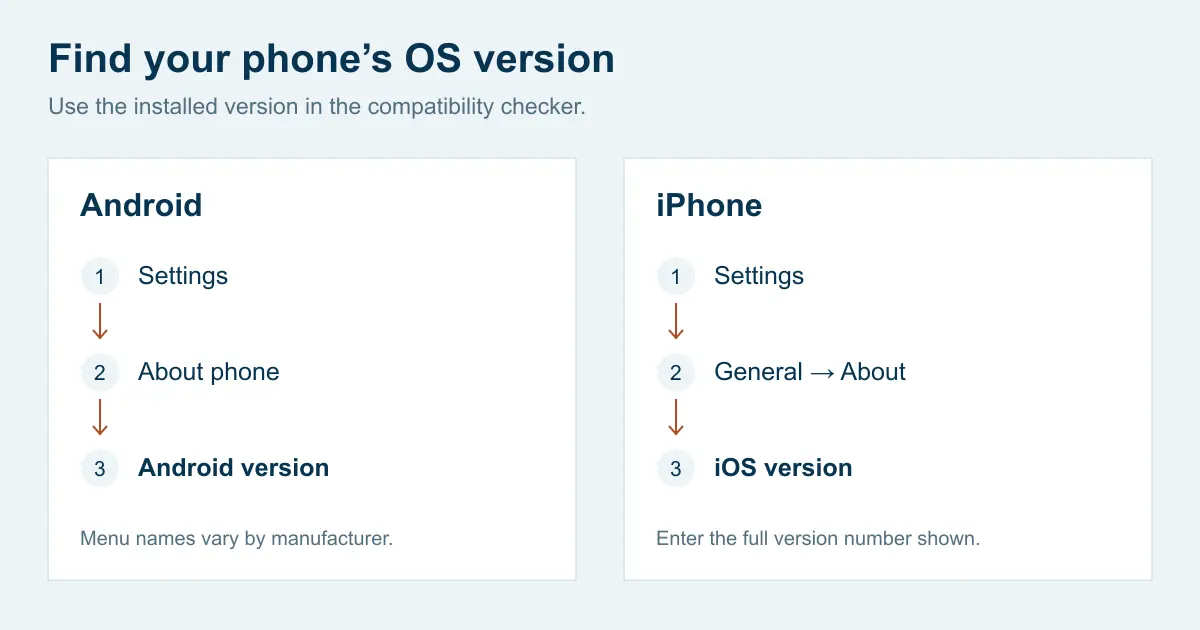
Android
Open Settings → About phone → Android version. Also look for the Android security update and Google Play system update dates. Menu names vary by brand.
Google’s version guideiPhone
Open Settings → General → About and find the iOS version. Enter the full number shown, such as 15.4.1.
Apple’s version guideHow to update WhatsApp and your phone
Prepare your backup
Before a system upgrade or phone change, check your latest successful chat backup in WhatsApp’s chat settings. Follow the official backup instructions for your platform. Keep the old phone until your chats are safely restored or transferred.
Install available system updates
Android: usually Settings → System → Software updates. Availability depends on the manufacturer, model and carrier. iPhone: Settings → General → Software Update. Connect to power and Wi-Fi and follow the on-screen steps. See Google’s instructions or Apple’s instructions.
Update the WhatsApp app
Check WhatsApp in Google Play or the App Store and install any offered update. Use WhatsApp’s official download page to find the right app. A third-party “compatibility fix” cannot change the published OS requirement.
Check again after updating
Reopen your phone settings and enter the new OS version in the checker. If no compatible OS update is available, check the phone manufacturer’s support options and plan a supported replacement.
Compatibility and security are separate checks
The OS minimum tells you whether your software version meets WhatsApp’s published requirement. It does not tell you whether the phone manufacturer still supplies security fixes.
Keep WhatsApp, your operating system and available security patches updated. Read WhatsApp’s security advisories for individual fixes. An advisory describes an issue; it does not establish that your account or phone was affected.
Common questions
How do I know whether my phone can still use WhatsApp?
Find the installed Android or iOS version in your phone settings, then use the checker above. A model name alone does not tell you which software is installed. Meeting the OS requirement does not verify every device feature, account condition or security patch.
Is a WhatsApp update the same as a phone security update?
No. A WhatsApp update changes the app. An operating system or manufacturer security update changes the software underneath it. Keep both up to date: a phone can meet WhatsApp’s OS requirement while no longer receiving security fixes from its manufacturer.
WhatsApp still opens on my old phone. Does that mean it is supported?
An app opening successfully does not establish ongoing support. Compare your installed OS with the published requirements and follow any notice inside WhatsApp. Plan an update or a move to a supported phone before access becomes a problem.
What if my phone says it is up to date but the OS is too old?
That can mean there is no newer software available for that model or carrier. Check the manufacturer’s support information. If the phone cannot reach the required OS version, prepare a supported replacement and follow WhatsApp’s official backup or transfer instructions before erasing the old phone.
Official sources & review date
Requirements were checked on . This guide uses published rules, not a live connection to WhatsApp. Follow any newer official announcement or notice in your app.
- WhatsApp: supported operating systems
OS requirements and the announced iOS change.
- WhatsApp: official downloads
Current app downloads and minimum requirements.
- WhatsApp: security advisories
Published security fixes and update guidance.
- Google: check and update Android
Android version, security patches and system updates.
- Apple: find your software version
Find the version installed on your iPhone.
- Apple: update your iPhone
Prepare a backup and install iOS updates.
- WhatsApp: back up your chat history
Choose the instructions for your platform.
- KaiOS: WhatsApp service notice
Service discontinuation for KaiOS devices.
Published by Yongchang as a practical guide for visitors who use WhatsApp to stay in touch. Yongchang is not affiliated with WhatsApp or Meta and cannot resolve WhatsApp account issues.